Previous
DataHand Keyboard Customization
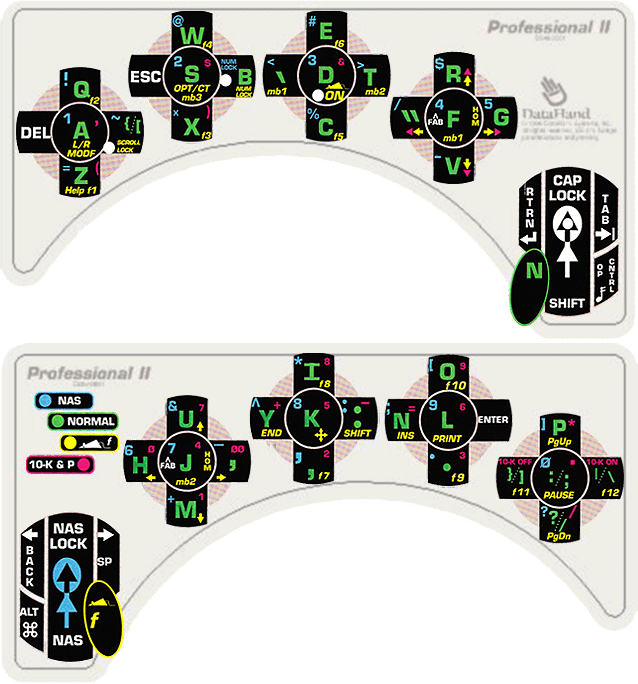
Page 48 of this DataHand manual describes the process of remapping keys on the DataHand keyboard to other keys or simple macros — and making other customizations.
Here is how I chose to remap the keys on my DataHand Pro II keyboard :
Key Sequence     Meaning
[NORMAL-RESET][NORMAL-\]   reset all
[NORMAL-RESET] I    toggle protection for Function keys
[NORMAL-RESET] Z    switches Mouse Function and NAS access keys
[NORMAL-RESET] W : NAS V [NORMAL-ESC] assigns - to the : key
[NORMAL-RESET] X [ NAS SHIFT-9 [NORMAL-ESC] assigns ( to the NORMAL-[ key
[NORMAL-RESET] X ] NAS SHIFT-0 [NORMAL-ESC] assigns ) to the NORMAL-[ key
[NORMAL-RESET] W ENTER NAS Z [NORMAL-ESC] assigns = to the (other) ENTER key
[NORMAL-RESET] B S ALT SPACE N [NORMAL-ESC] assigns the macro ALT,SPACE,N to the NORMAL-S key
[NORMAL-RESET] — This means that you hold the RESET and NORMAL mode keys down together in order to enter programming mode. This is done before each individual customization.
[NORMAL-ESC] — This means that you hold the ESC and NORMAL mode keys down together.